
Welcome to BuildTheCloud.com, the all-in-one digital ecosystem created for learners, creators, freelancers, and everyday achievers who want to work smarter—not harder. In an age where artificial intelligence, cloud storage, automation, and digital skills shape the future, BuildTheCloud.com stands as your complete guide to mastering this new world.
Whether you’re a student trying to organize notes and enhance your assignments, a professional streamlining your workflow, a creator designing content faster, or an entrepreneur building micro AI businesses, this platform is designed for you. Here, you’ll discover the best tools, tutorials, guides, and resources to help you transform ideas into action—and action into results.

1. AI Tools for Students
Smarter Learning. Faster Research. Better Results.
Artificial intelligence is transforming the way students learn, study, research, and complete assignments. With the right AI tools, students can save time, understand complex subjects easily, and stay organized throughout their academic journey. This category is designed to introduce students to simple, practical, and powerful tools that can enhance learning at every level — from school to university.
Today’s students face heavy workloads, tight deadlines, and endless reading materials. AI tools step in to simplify that pressure by acting as smart assistants that work alongside you. Whether you need help writing better essays, taking clearer notes, generating study guides, or understanding difficult topics, AI provides faster, more personalized support than ever before.
In this category, you’ll discover tools that help with note-making, research, writing, organization, revision, and test preparation. Our guides break everything down into easy steps so students can use these tools confidently and efficiently.
Smarter Study and Note-Making
One of the biggest struggles for students is managing large volumes of study material. AI note-making tools can summarize long chapters, highlight important points, convert lectures into notes, and help you revise faster. With just a few clicks, you can transform complicated content into simple, structured outlines that are easy to understand and remember.
We cover AI tools that:
- Summarize textbooks and articles
- Convert lectures into clean notes
- Generate flashcards for revision
- Create personalized study plans based on your goals
These tools reduce study time and help you stay consistent, organized, and well-prepared for exams.
Better Academic Writing and Assignments
Writing essays, reports, and assignments is a major part of student life. AI tools can help improve your writing while ensuring originality and clarity. From generating outlines to checking grammar and citations, AI can guide you step-by-step and help you produce well-structured, polished content.
You will learn how to use tools that:
- Proofread your writing
- Improve clarity and flow
- Generate structured outlines
- Check grammar and spelling
- Create accurate citations and references
Our guides also explain how to use AI ethically, ensuring your work remains authentic and academically safe.
Simplified Research and Understanding
Research can be overwhelming, especially when dealing with long academic papers or unfamiliar topics. AI can help by summarizing research papers, extracting key insights, locating reliable sources, and explaining complex concepts in simple language.
Inside this category, you will find articles that teach you how to:
- Summarize long PDFs
- Gather sources quickly
- Understand difficult topics
- Analyze research findings
- Organize research notes effectively
This makes your research process faster, smoother, and more efficient.

Personalized Learning and Exam Preparation
Every student learns differently, and AI makes it easier to understand your strengths and weaknesses. Personalized learning tools can create custom quizzes, practice tests, and learning plans that fit your style and pace.
You’ll explore tools that:
- Generate practice quizzes
- Create revision schedules
- Offer concept explanations tailored to your needs
- Track your learning progress
Whether you’re preparing for exams or catching up on classwork, AI gives you a structured path to follow.
What You’ll Learn in This Section
AI Study Assistants
Tools that summarize long chapters, explain complex concepts, create notes, and help you learn faster.
- AI note-makers
- Summarization tools
- Concept explainers
- AI flashcard generators
Academic Writing Assistance
Step-by-step guidance on using AI to improve essays, research papers, assignments, and citations — ethically and correctly.
- AI proofreading
- Grammar and clarity improvement
- Thesis and outline generators
- Plagiarism-free writing techniques
Research Made Simple
Detailed tutorials showing how AI can help gather sources, analyze research papers, and simplify literature reviews.
- Research summarizers
- AI data extraction tools
- Citation creators
Personalized Learning
Discover how AI can create custom study plans, practice quizzes, and tailored learning paths based on your strengths and weaknesses.
AI Tools for Students:
Category Feature | Description | Examples of Tools | Best For |
AI Note-Making & Summaries | Converts long lectures, PDFs, and textbooks into short, easy-to-read summaries and notes. Helps students study faster. | Notion AI, ChatGPT, Scholarcy | Students who deal with heavy reading materials |
Academic Writing Assistance | Helps improve essays, assignments, grammar, clarity, and citations while maintaining originality. | Grammarly, QuillBot, ChatGPT | Essay writing, reports, academic papers |
Research & Source Collection | Summarizes research papers, finds reliable sources, explains complex topics, and organizes research notes. | Elicit, Semantic Scholar, ResearchRabbit | College & university students conducting research |
Exam Preparation Tools | Generates quizzes, flashcards, study plans, and personalized learning paths based on weak areas. | Quizlet, Anki, Khan Academy AI | Exam revision and daily learning practice |
Productivity & Time Management | Helps students stay organized with schedules, reminders, task prioritization, and study timers. | Todoist, Motion, Notion AI | Students wanting better consistency & discipline |
Plagiarism & Citation Tools | Ensures assignments are plagiarism-free and citations are properly formatted in APA/MLA style. | Turnitin, Scribbr, Zotero | College students working on research and assignments |
Concept Explanation & Learning Support | Explains difficult subjects in simple language using examples, analogies, and step-by-step solutions. | ChatGPT, Khanmigo, Wolfram Alpha | STEM subjects, complex theories, math & science |
Presentation & Project Creation | Helps students create presentations, slides, visual content, and project reports quickly. | Canva AI, Gamma, Tome | School & college presentations or group projects |
Language Learning Tools | Supports learning new languages through AI conversation, translations, and pronunciation correction. | Duolingo, DeepL, Memrise | Language learners & ESL students |

2. AI Productivity & Work
Work Smarter, Not Harder — AI is Your New Productivity Partner
Modern work is fast-paced, demanding, and often overwhelming. From managing daily tasks to keeping up with emails, meetings, reports, and deadlines, the workload can easily become too much. This is where AI steps in as the ultimate productivity partner. Our AI Productivity & Work category is designed to help professionals, freelancers, remote workers, and entrepreneurs streamline their workflow using smart digital tools.
AI is not just for big companies; anyone can use AI-powered tools to automate routine tasks, stay organized, and boost work quality. In this category, we focus on practical, real-world applications of AI that make your workday easier — without requiring advanced tech skills.
Task Management Made Simple
Staying on top of deadlines can be challenging. AI-powered task managers help you plan your day, prioritize tasks, and create smart to-do lists. These tools analyze your workload and suggest the best way to manage your time.
We cover tools that:
- Organize your tasks automatically
- Set reminders and track progress
- Suggest the best times to work
- Break large tasks into small, manageable steps
Our guides show you how to use these tools to stay focused, avoid stress, and make consistent progress.
Automation for Everyday Work
Repetitive tasks eat up a big portion of the workday. AI can automate many of them, giving you more time for meaningful work. Whether it’s responding to emails, generating documents, creating content, or analyzing data, automation tools can handle the routine work for you.
You’ll learn how to use AI to:
- Auto-generate emails and messages
- Schedule meetings efficiently
- Organize documents and files
- Write reports or summaries
- Collect and analyze information
This allows you to work faster while maintaining professional accuracy and consistency.
Smarter Communication & Collaboration
Meetings, virtual calls, and team discussions often require detailed notes and follow-ups. AI-powered transcription and collaboration tools can simplify this process by recording meetings, summarizing conversations, and generating action points automatically.
Inside this section, you’ll find guides on:
- AI meeting assistants
- Team collaboration platforms
- Real-time transcription tools
- AI-powered communication apps
These tools enhance teamwork and ensure nothing important gets missed.
Boosting Creativity with AI
Creativity is no longer limited to designers or content creators — AI makes creative work accessible to everyone. Whether you’re preparing presentations, designing graphics, writing content, or creating marketing materials, AI tools can help you produce high-quality results quickly.
You will learn how to use tools that:
- Create stunning presentations
- Draft blogs, captions, and emails
- Design visuals and graphics
- Edit videos efficiently
These tools help you bring ideas to life without needing advanced skills.
What You’ll Explore in This Section
AI for Task Management
Learn how AI can help:
- Organize daily tasks
- Automate to-do lists
- Prioritize work efficiently
- Set reminders and track progress
Automation Tools for Work
Step-by-step guides on using AI automation for:
- Emails and communication
- Scheduling
- Customer support
- Content creation
- Data processing
AI for Workflows & Documentation
Discover tools that help you create documents, presentations, reports, and visual content in minutes.
- AI presentation creators
- AI report generators
- AI meeting transcription tools
Time Management with AI
Practical advice on how AI can help you reduce distractions, manage deep work sessions, and track productivity in real time.
AI for Creative Work
Explore tools that assist designers, marketers, content creators, and editors.
- AI image generation
- Video editing tools
- Scriptwriting tools
- SEO and digital marketing AI

Productivity Area | Description | Examples of Tools | Best For |
Task Management & Planning | AI helps organize tasks, set priorities, automate to-do lists, and schedule work efficiently. | Motion, Todoist AI, ClickUp AI | Professionals, students, remote workers |
Work Automation & Routine Tasks | Automates email replies, data entry, document formatting, and repetitive workflows to save time. | Zapier, Make.com, ChatGPT Automations | Freelancers, small businesses, office workers |
Writing & Content Creation | Generates emails, reports, documents, marketing content, and workplace communication instantly. | ChatGPT, Jasper, Notion AI | Marketers, content creators, teams |
Meeting & Communication Tools | AI records meetings, creates summaries, extracts action items, and improves team communication. | Otter.ai, Fireflies, Zoom AI Companion | Remote teams, managers, employees in virtual meetings |
Data Analysis & Reporting | Helps analyze data, create dashboards, generate insights, and build reports quickly. | Tableau AI, Excel Copilot, Power BI AI | Analysts, managers, business owners |
Creative Productivity Tools | Assists with designing presentations, graphics, videos, and visual content for work projects. | Canva AI, Adobe Firefly, Gamma | Designers, marketers, educators |
Time Management & Focus Tools | Tracks productivity, monitors distractions, creates focus schedules, and boosts work discipline. | RescueTime, Forest, Sunsama | Students, freelancers, productivity-focused users |
Workflow Optimization & Collaboration | AI enhances teamwork with real-time editing, automated updates, and smarter project management workflows. | Slack AI, Notion AI, Asana | Teams, startups, corporate projects |
Document Creation & Formatting | Generates structured documents such as reports, proposals, resumes, and presentations in minutes. | Google Workspace AI, Microsoft 365 Copilot, Grammarly | Office workers, students, job seekers |
3. Cloud Storage & Digital Tools
Secure, Organized, Efficient — Your Digital Life, Upgraded
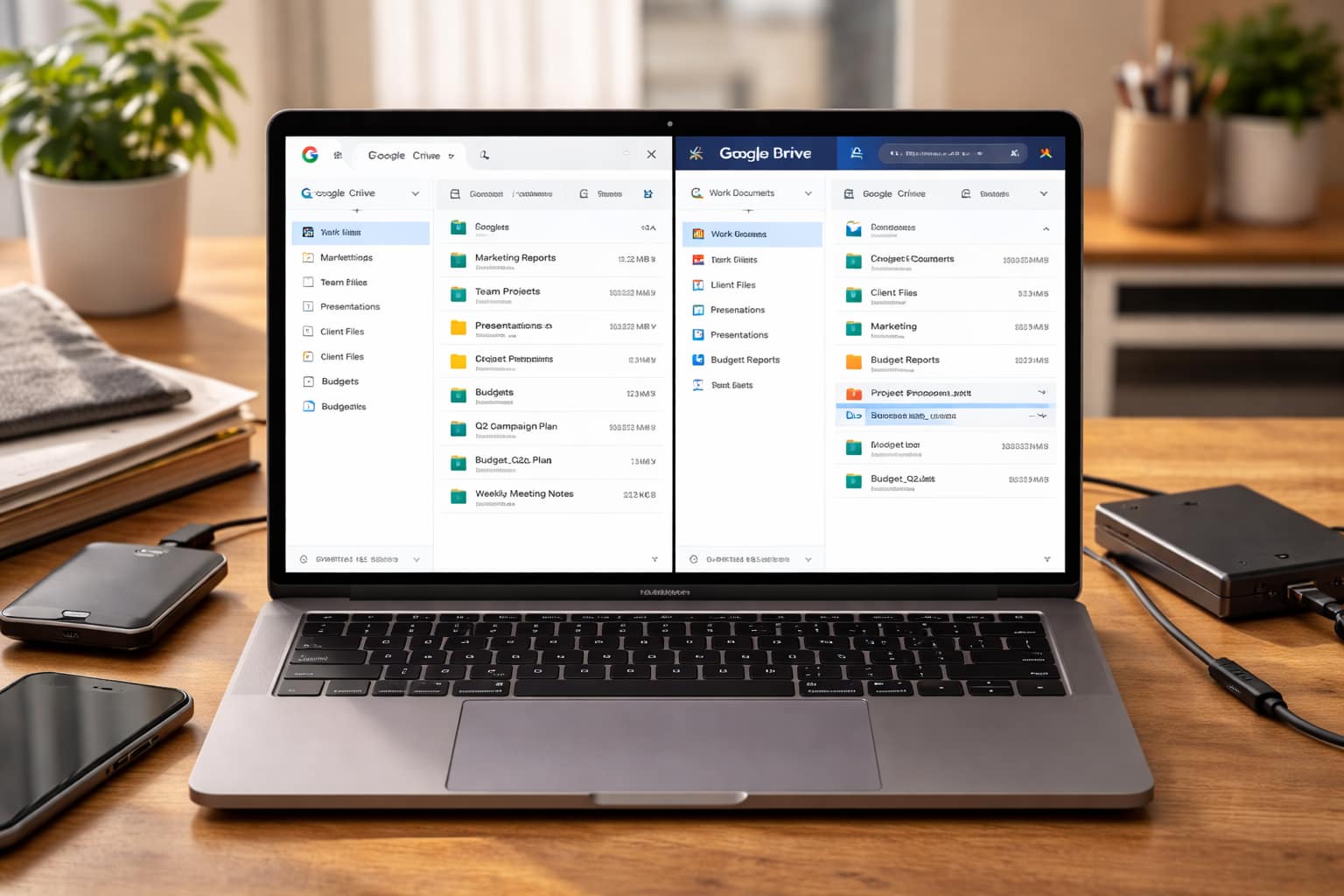
In today’s digital world, managing files, storing data, collaborating online, and protecting information have become everyday essentials. Our Cloud Storage & Digital Tools category is designed to help students, professionals, businesses, and creators choose the best tools for staying productive and organized.
This section focuses on cloud platforms, file storage solutions, online collaboration apps, and digital tools that simplify your workflow. Whether you’re storing personal files or managing team projects, the right tools make a huge difference in productivity and security.
Choosing the Right Cloud Storage
Not all cloud platforms are the same. Each comes with different features, prices, storage limits, and security options. Our guides help you understand the strengths and weaknesses of popular cloud services so you can pick the right one.
We compare tools like:
- Google Drive
- OneDrive
- Dropbox
- iCloud
- Mega
- pCloud
You’ll learn about upload speeds, sharing options, backup features, and security settings in simple terms.
Digital Organization Tools
Staying organized online is just as important as organizing your physical workspace. Digital tools help you manage notes, passwords, schedules, and documents easily.
In this category, you will explore:
- Password managers
- Note-taking apps
- Calendar and scheduling tools
- File management systems
These tools help you keep everything accessible, clean, and structured — so you never lose track of important information.
Collaboration Made Easy
Remote work and online study require effective teamwork. Cloud collaboration tools allow multiple people to work together on documents, presentations, and projects in real time.
We cover tools that support:
- Team communication
- Project management
- Document co-editing
- Online file sharing
- Real-time feedback
Whether you’re working on school assignments or managing business tasks, these tools improve efficiency and teamwork.
Data Security & Backup Tips
Your digital data is valuable and must be protected. This category also includes guides on staying safe online, choosing secure cloud platforms, and backing up your files properly.
We share tips on:
- Encryption tools
- Two-factor authentication
- Secure file sharing
- Backup strategies
- Privacy-friendly cloud services
With the right knowledge, you can keep your digital life protected from risks.
What You’ll Learn in This Section
Cloud Storage Reviews & Comparisons
In-depth guides explaining:
- Storage limits
- Pricing
- Security features
- File sharing capabilities
- Best tools for students, teams, and businesses
We compare platforms such as:
- Google Drive
- Dropbox
- OneDrive
- iCloud
- Mega
- pCloud
Digital Organization Tools
Learn how to use:
- Password managers
- Note-taking apps
- File management systems
- Calendar and scheduling tools
Collaboration Tools for Teams
Explore platforms that enhance remote teamwork:
- Project management apps
- Document co-editing tools
- Team communication tools
Backup & Security Tips
Stay safe in the digital world with:
- Encrypted cloud services
- Backup strategies
- Secure file sharing
- Data privacy tips

Tool Category | Description | Examples of Tools | Best For |
Cloud Storage Platforms | Store files online, access them from any device, and share securely with others. | Google Drive, OneDrive, Dropbox, Mega | Students, professionals, teams |
File Backup & Security | Protect data with secure backups, encryption, and automatic syncing across devices. | Backblaze, pCloud, iCloud | Users needing data protection and reliability |
Collaboration & File Sharing | Work together in real time on documents, presentations, and projects from anywhere. | Google Workspace, Microsoft 365, Box | Remote teams, businesses, group projects |
Note-Taking & Organization Tools | Capture notes, organize ideas, manage tasks, and keep digital information structured. | Notion, Evernote, Obsidian | Students, professionals, creators |
Password Managers | Safely store and auto-fill passwords, ensuring strong security without remembering them all. | LastPass, Bitwarden, 1Password | All users prioritizing online security |
Productivity & Scheduling Apps | Manage schedules, set reminders, organize tasks, and streamline daily workflows. | Trello, Todoist, Calendly | Professionals, remote workers, students |
Document Creation & Editing Tools | Create reports, forms, PDFs, presentations, and documents quickly with online editors. | Google Docs, Canva, Adobe Acrobat | Office tasks, projects, academic work |
Digital Communication Tools | Improve communication through messaging, video calls, and team discussions. | Slack, Zoom, Microsoft Teams | Companies, classrooms, remote teams |
File Conversion & Utility Tools | Convert documents, compress files, edit PDFs, and perform essential digital tasks. | Smallpdf, ILovePDF, CloudConvert | Students, freelancers, digital workers |

4. Online Earning with AI
Turn AI into Income — Practical, Beginner-Friendly Methods
Artificial intelligence is creating new income opportunities every day. Whether you want to earn a side income, start freelancing, or build a small online business, AI tools make it easier than ever. Our Online Earning with AI category teaches you practical, real-world methods to generate income using AI — even if you’re a complete beginner.
You don’t need advanced skills, expensive software, or long working hours. With the right tools and strategies, AI can help automate tasks, speed up content creation, and make you more productive as a freelancer or creator.
AI Freelancing Opportunities
Freelancing is one of the fastest ways to earn online using AI. You can offer services like:
- Content writing
- Social media management
- Graphic design
- Video editing
- Automation setup
- Data entry and organization
We guide you through using AI to deliver professional-quality work quickly and efficiently — and how to set up profiles on platforms like Fiverr, Upwork, and Freelancer.
AI-Powered Content Creation
Content is in high demand, and AI tools can help you create it faster. Whether it’s YouTube scripts, blog posts, designs, or short videos, AI can handle much of the heavy lifting.
This section shows you how to use AI for:
- Creating YouTube content
- Designing social media posts
- Writing blog articles
- Generating ebooks or guides
- Making faceless videos
We also share tips on staying original and building long-term content income streams.
Automation for Online Businesses
If you’re running a small business, AI can help automate tasks that usually take hours. This includes:
- Customer support chatbots
- Automated emails
- Product descriptions
- Marketing content
- Order management
Our guides help you implement these tools without needing technical skills.
Passive Income with AI
AI also opens the door to passive income opportunities such as:
- Selling templates
- Creating digital products
- Offering AI-generated art
- Selling automation tools
- Building small niche websites
These methods allow you to earn even while you sleep.
What You’ll Discover in This Section
AI Freelancing Guide
Learn how to offer services using AI tools:
- Content writing
- Video editing
- Social media management
- Graphic design
- Data entry & automation
Detailed tutorials show you how to set up profiles, find clients, and deliver high-quality work using AI assistance.
AI Content Creation
Step-by-step guidance on using AI to create:
- Blog posts
- YouTube videos
- Social media content
- E-books
- AI-generated art and designs
AI Automation for Online Businesses
Understand how to automate:
- Email marketing
- Customer service
- Order processing
- Product description writing
This turns small online businesses into smooth, automated systems.
Passive Income with AI
Explore opportunities like:
- Selling digital products
- Creating AI templates
- Automation scripts
- AI-generated stock images
- Online courses using AI
Platform Guides
We provide platform-specific earning tutorials for:
- Fiverr
- Upwork
- YouTube
- Etsy
- Gumroad
- Skillshare
- Freelancing websites
Why This Category Matters
Making money online doesn’t require heavy investment — with AI, many skills become easier to learn and faster to execute. Our goal is to give you:
- Practical earning methods
- Real examples
- Step-by-step tutorials
- Workflow templates
- Strategies for long-term growth
You’ll learn not just how to use AI, but how to turn it into a profitable digital skill.

Online Earning with AI – Category Table
Earning Method | Description | Examples of AI Tools | Best For |
AI Freelancing Services | Offer services such as writing, design, video editing, social media management, and automation using AI tools. | ChatGPT, Canva AI, Descript, Zapier | Beginners, freelancers, students |
Content Creation with AI | Create blogs, YouTube scripts, faceless videos, social media posts, and ebooks using AI-powered generators. | ChatGPT, Jasper, Pictory, Midjourney | Content creators, marketers, aspiring influencers |
AI Automation for Businesses | Use AI to automate emails, customer support, product descriptions, and marketing to help small businesses grow. | Make.com, Zapier, ManyChat | Small businesses, agencies, automation experts |
Selling Digital Products | Use AI to create templates, planners, graphics, ebooks, and sell them on online marketplaces. | Canva, Kittl, Adobe Firefly | Designers, side hustlers, passive income seekers |
AI-Generated Art & Assets | Create AI artwork, digital illustrations, stock images, and sell them on marketplaces. | Midjourney, Leonardo AI, DALL·E | Artists, designers, Etsy sellers |
AI-Assisted Tutoring & Courses | Create online courses, study guides, or offer tutoring with help from AI learning tools. | ChatGPT, Notion AI, Teachable | Teachers, educators, students |
SEO & Blogging with AI | Start blogs, write SEO articles, and grow traffic using AI writing and keyword tools. | Surfer SEO, NeuronWriter, ChatGPT | Bloggers, digital marketers |
Social Media Growth & Management | Automate content posting, generate captions, analyze trends, and grow online presence. | Buffer AI, Hootsuite AI, VidIQ | Influencers, small brands, entrepreneurs |
AI Tools for Market Research | Use AI to find trending niches, profitable products, and new earning opportunities. | Trends.co, Glimpse, ChatGPT | Entrepreneurs, ecommerce sellers |